
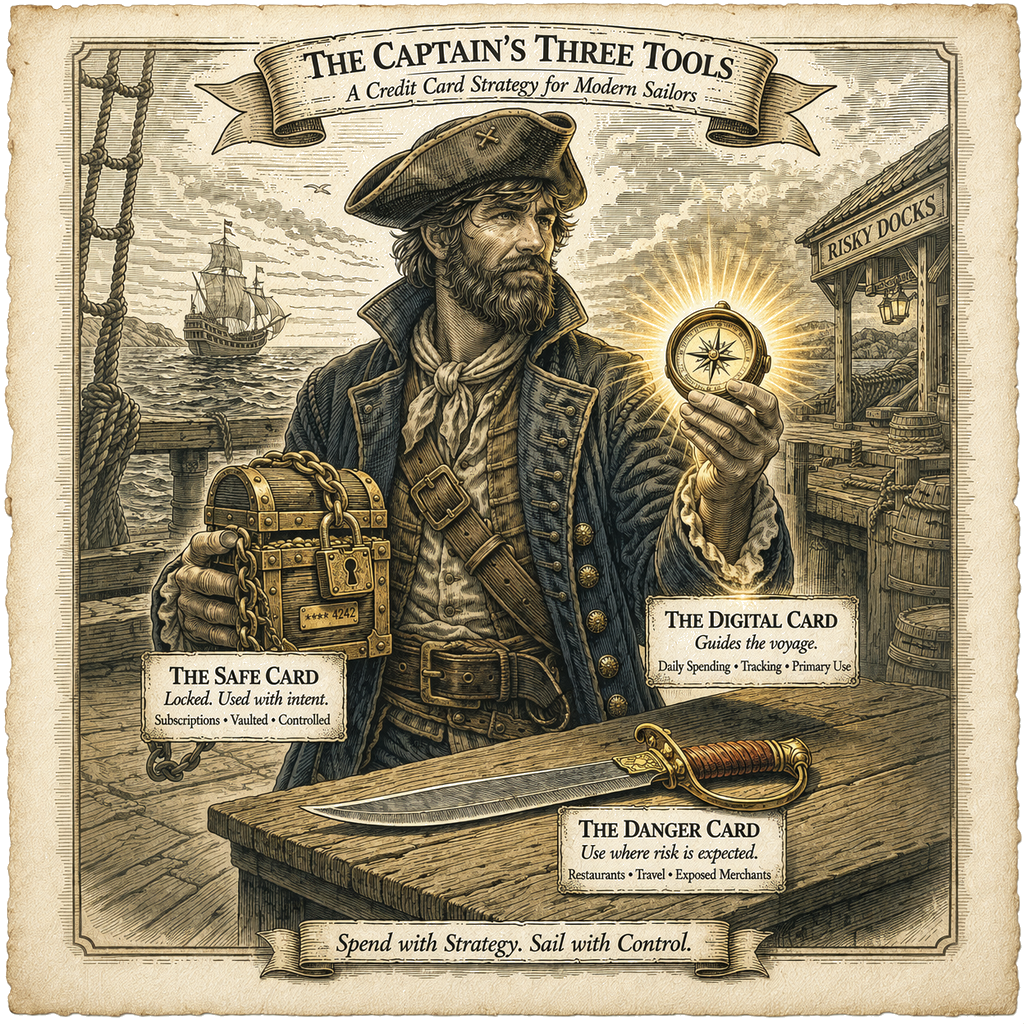
Most credit card advice focuses on rewards, but the real problem isn’t earning an extra percent—it’s what happens when a card gets compromised. One breach can trigger a cascade: subscriptions fail, payments bounce, and you’re stuck hunting down every account tied to that number. This system is built to prevent that mess. By separating cards based on risk and exposure, it contains damage when something goes wrong and keeps your critical payments stable, so a single compromised card doesn’t turn into a full-blown cleanup operation.
TL;DR — The System in 30 Seconds
Use three credit cards, each with a single job:
- Safe Card — used only for subscriptions and recurring bills, never leaves home, lock it up in a safe if you have one
- Digital Card — your default card for everyday spending through your phone (mobile wallet), lock the physical card in a safe
- Danger Card — used anytime you must use a physical card, this is the only card you actually carry with you
That’s the whole system. Once each card has a clearly defined role, you stop deciding which card to use and just follow the pattern.
The System (Overview)
Most people make credit cards more complicated than they need to be. They chase rewards, track rotating categories, and try to optimize every purchase. But when it actually matters—standing at checkout—they hesitate.
“Which card should I use right now?”
That hesitation is the real failure point.
This system removes that decision entirely. Instead of choosing a card each time, you assign each card a role ahead of time. One card handles everything recurring, one card handles almost everything you buy, and one card takes on all the risk when you're forced to use a physical card.
Once you set those roles, the system runs without you having to think about it. Which is good, because thinking at checkout is where systems go to die.
The Three Tools
The Safe Card
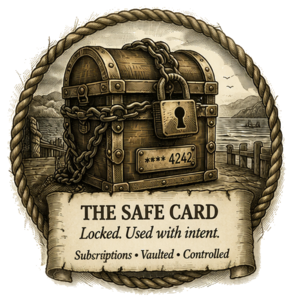 This is the piece that keeps everything from falling apart.
The Safe Card handles subscriptions, autopay bills, and anything recurring—meaning charges that happen automatically without you doing anything. You use this card only for recurrening charges from well-respected vendors such as Walmart, Amazon, streaming services, your insurance, etc.
It also never leaves your home. It stays locked up tightly in your safe.
Rules:
- Never carry it
- Never use it manually
- Only use it for recurring charges
Why this works:
The biggest problem isn’t fraud—it’s what happens after a card gets replaced.
When a card number changes, every subscription tied to that card fails. Services get interrupted, payments bounce, and you have to go fix each account manually. The worst part is that you don’t remember which recurring charges were on that card and which weren't, so you end up with a mess to clean up at exactly the moment you don’t want to deal with it. Naturally.
That’s where most of the frustration comes from.
This system avoids that mess about as well as you can without canceling all your credit cards and going full cash-only hermit mode (let’s be honest—that’s not happening). The Safe Card stays locked up tight and never gets exposed to risky transactions, so it almost never needs to be replaced. And as long as this one card isn’t compromised, all your other cards can burst into flames or get infected with credit-card herpes or something and you still won’t have to worry about your recurring charges. Which is exactly the point.
The Digital Card
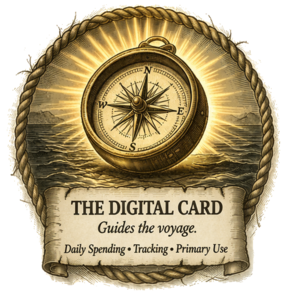 This is your default spending card. It lives in your phone and handles groceries, restaurants, gas, and most everyday purchases. The specific card matters less than how you're using it. What matters is that it works reliably with your mobile wallet, gives you decent rewards for your normal spending, and is accepted in most places you shop.
What matters here isn’t the specific card—it’s how you use it.
You want:
- A card that works well with your mobile wallet
- Solid rewards in your common spending categories
- Something accepted in most places you shop
Why this works:
Mobile payments use tokenization, which means your real card number isn’t shared with the merchant. Instead, they use a temporary token, which reduces the risk of your actual card information getting exposed.
They’re also faster and more convenient, which makes them easier to use consistently. Over time, this becomes automatic—you’re not deciding which card to use, you’re just paying with your phone like a civilized human being.
This ends up being the card you use most of the time.
The Danger Card
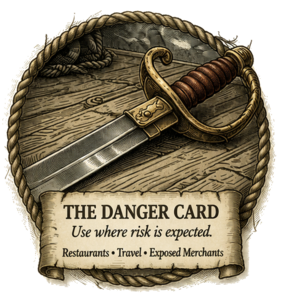 This is your risk buffer. You use it anytime you can't use your phone and have to use a physical card. That includes restaurants where you hand your card to someone, terminals that require inserting or swiping, and any situation where your card leaves your control.
This isn’t about “sketchy” places.
This is about how the transaction is handled.
If you're using a physical card, the risk is higher—period. No exceptions. Sorry.
Why this exists:
Using a physical card exposes your real card number and often means you lose control over the transaction. Instead of evaluating each situation in the moment, the system makes the decision for you:
If you can’t use your phone → use the Danger Card.
Because this is the only physical card you carry, there’s no decision to make. You don’t compare options or second-guess anything. If your phone doesn’t work, this is the card you use. End of story.
Why This System Works

1. Risk Isolation
All higher-risk transactions stay confined to a single "danger" card. If that card gets compromised, the damage stays limited to that one account. Contained explosion. Very manageable.
2. Cognitive Simplicity
There’s no decision-making at checkout:
- Phone → Digital Card
- Physical card → Danger Card
- Recurring charges → Safe Card
3. System Stability
Your subscriptions stay protected from the most common failure point: replacing a card and watching every account tied to it break. Which is always fun… the first time.
4. Practical Optimization
You still earn rewards from cash-back cards, but you don’t build a system that requires constant attention to manage. Because if it requires attention, you won’t keep doing it. Nobody does.
The Hidden Layer: Transaction Risk Hierarchy
 Not all credit card transactions carry the same level of risk.
A practical hierarchy looks like this:
- Mobile wallet on your phone (Apple Pay / Google Pay / similar phone-based payment)
- Usually the safest option, because it uses tokenization. The merchant generally doesn't receive your real card number. Instead, the payment uses substitute data tied to that device and transaction, so stolen payment data is practically useless for making another purchase.
- Apple Pay / Google Pay on a website
- This is much safer than typing in your card number manually, because it works more like a wallet payment than a normal online card entry.
- Physical card using tap or chip insert
- These are generally safer than swiping, because they use stronger, more modern transaction security.
- Magnetic-stripe swipe
- Riskier than tap or chip insert because it relies on card information that's easier to copy and reuse if stolen.
- Online transactions where you type in the card number manually
- These vary a lot. Buying from a large, modern merchant isn't the same as typing your card number into some dusty little website from 1998. But on average, this is still one of the riskier categories.
- Any transaction where the card leaves your control
- This is the riskiest category, because now the problem isn't just the payment method. It's also the fact that someone else has your card.
The key idea is simple:
Mobile wallet is best. Website wallet checkout is better than typing in your card number. Tap and chip insert are generally safer than swipe. Manual online card entry is riskier on average. And once your card leaves your hand, risk goes up again.
That's why this system routes payments the way it does:
- Digital Card for mobile wallet payments
- Danger Card for physical-card use and more exposed transactions
- Safe Card for recurring charges you want to isolate to one otherwise stable card
One important detail: the Safe Card isn't for random online shopping. It's only for recurring charges with trusted, reputable merchants you expect to have decent security, such as insurance, major retailers, or established subscription services. Online transactions are still a higher-risk category overall, so the goal isn't to pretend they're harmless. The goal is to keep them limited to the charges that matter most, concentrate those charges on one stable card, and keep that card's exposure as narrow and predictable as possible.
Optional Advanced Move: Split Your Subscription Risk
If you want to take this system one step further, you can split recurring charges across two cards:
- Super Safe Card for subscriptions you can set up through Apple Pay or Google Pay
- Not-So-Super Safe Card for subscriptions where you have to type in the card number manually
The logic is simple: not all recurring charges expose your card the same way. If a subscription can use wallet-based checkout, that card can stay even more insulated. If a subscription forces manual card entry, you can isolate that extra exposure to a different card.
The tradeoff is complexity. This gives you better risk separation, but it also turns a simple three-card system into a more complicated one. For most people, the basic system is enough. This is only worth doing if you want tighter control and don't mind managing one more moving part.
Optional Optimization Layer (Use Sparingly)
You can optimize further if you want. Rotating 5% category cards are the most common example.
But in practice, this usually creates more work than it’s worth. Categories change every quarter, you have to remember what’s active, and you'll forget sometimes. You can track it, but now you’ve added another thing to manage. Congratulations—you built yourself a part-time job.
So a rule you might set for yourself might be:
Only add complexity if it earns at least $100/year.
If it doesn’t clear that bar, it’s probably not worth the mental overhead. Or your sanity.
Edge Cases (Where This System Shines)
Card Gets Compromised
- Replace the Danger Card
- Everything else continues normally
Forgetting Bonus Categories
- Nothing breaks
- You just earn slightly less (and life goes on)
Any Physical Terminal
- Use the Danger Card automatically
- No decision required
My Personal Setup (For Those Interested)
Here’s how I implement this system:
- Safe Card: Wells Fargo Active Cash Card (2% flat cash back)
- Digital Card: Capital One Savor Card (3% on restaurants and grocery stores)
- Danger Card: Discover card (sometimes 5% cash back, but I don’t chase those categories)
Why I Use Discover for the Danger Card
This is one of the most important details of my setup.
Discover operates its own payment network instead of relying on Visa or MasterCard. That means Discover sees transactions directly rather than through an additional layer, which lets it react more quickly when something unusual happens.
In practice, this shows up as faster fraud detection, quicker alerts, and faster declines on suspicious transactions. The difference isn’t always dramatic, but if I’m intentionally exposing a card to higher-risk situations, I want the one that responds the fastest.
Based on my experience, Discover has been very reliable in that role.
A Small but Important Detail
I also use the Danger Card for one specific subscription: a car wash that requires inserting the card into a machine. That’s exactly the kind of setup I don’t fully trust.
If the card gets replaced, the fix is simple. I drive in, the machine tells me the subscription ended, I enter the new card, and I’m done. No ripple effect. No drama. No scavenger hunt through 17 different accounts.
What About Discover Acceptance?
I used to keep a Visa card with me because Discover wasn’t always that widely accepted, but in practice that hasn’t been an issue for a long time. It seems to be accepted everywhere I’ve tried to use it in the last 5 or more years. So either acceptance improved, or I got lucky. I’m going with improved.
How I Got Here
This system came from dealing with one specific pain point over and over again: replacing a card and then dealing with everything that breaks afterward.
When a card gets replaced, subscriptions fail, services get interrupted, and I have to update my card information everywhere. The worst part is that I don’t remember all the places the old card was used, so I end up fixing problems after they appear. Which is a great way to spend your time, obviously.
On top of that, I have to remember which card each merchant was tied to. At that point, the system depends on memory—and that’s where it fails. Because memory is unreliable. Especially when you don’t care.
So instead of trying to manage that complexity, I removed it. I designed a system where one card is never exposed, one card is used safely for almost everything, and one card is allowed to fail without causing problems.
The goal wasn’t maximum rewards.
The goal was:
Never have to update a dozen accounts because one card got replaced.
Closing
You don’t need a complicated strategy.
You need a system that:
- Works automatically
- Contains problems
- Doesn’t rely on memory
Three tools:
- One for stability
- One for daily use
- One for risk
That’s enough.