
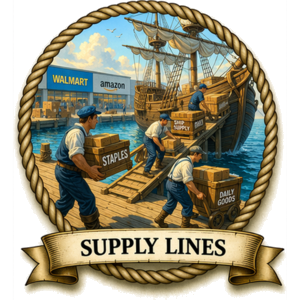
This is a simple system for handling everyday shopping with minimal effort. Instead of comparing stores, wandering aisles, and making decisions every time you shop, you set up a small, repeatable process that runs through Walmart. Once it’s in place, you use the same list, the same ordering method, and the same payment flow each time, which keeps things fast, predictable, and consistent.
TL;DR — The System
- Create a Walmart account and install the Walmart app
- Build a Staples list of Walmart (Great Value) items you actually use
- Shop from that list instead of browsing
- Use pickup (or delivery) to avoid going into the store
- Pay through the Walmart app using your saved payment method
What Problem Does This Solve?
Everyday shopping sounds simple, but it quietly creates a lot of friction.
You want consistently low prices, but getting them usually means spending time comparing stores, walking aisles, and searching for items. That takes time, exposes you to impulse purchases, and often ends with you standing in a long checkout line anyway.
Even when you try to be efficient, there’s still the mental load. Every trip requires decisions—what to buy, which version to choose, whether something is a good deal. That decision fatigue adds up over time.
On top of that, the typical in-store process exposes your payment method repeatedly. Every swipe, tap, or handoff to a terminal creates another point of exposure.
So the core problem is this:
How do you get consistently good prices on everyday items without spending time in stores, making constant decisions, exposing yourself to unnecessary temptation, or increasing your payment risk?
That’s what this system is designed to solve.
System Breakdown
The system itself is simple, but it works because a few key pieces fit together in the right way. You’re not trying to optimize every purchase or chase the lowest possible price on every item. You’re building a repeatable routine that keeps prices low, reduces time spent shopping, and limits unnecessary decisions.
The two parts that matter most are how you build your staples list and how you handle pickup. The staples list determines what you buy, and pickup determines how you get it. Once those two pieces are in place, everything else becomes straightforward.
Building Your Staples List (The Most Important Part)
Start by creating an account at Walmart and installing the Walmart app on your phone. That app is going to do most of the work for you.
From there, begin searching for the Great Value versions of the foods you already eat reliably. That’s Walmart’s house brand, and it’s where you’ll usually find the most consistent pricing.
The key here is to be honest with yourself.
 Avoid aspirational thinking.
That means do not add foods that you think you should be eating—foods you buy because they sound healthy, responsible, or like something a better version of you would eat.
Because that leads directly to what we’ll call the aspirational food tax.
Here’s how that usually plays out:
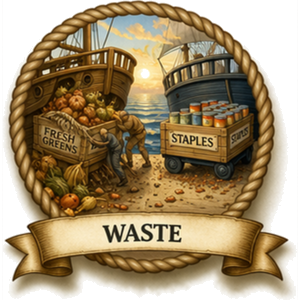 You decide you should eat more fresh produce, so you buy a head of lettuce. Then you discover that you don’t actually like lettuce that much, or at least not enough to eat it regularly. Lettuce also has a short shelf life, even in the refrigerator.
So it sits there.
A week or two later, you open the vegetable drawer and find a plastic bag containing a greenish-brown, soggy mess. Then you throw it away.
That’s not healthy eating. That’s just throwing money in the trash with extra steps.
So instead, focus on foods you actually eat and will continue to eat. If you reliably eat it, it belongs on your staples list. If you don’t, it doesn’t.
How to Build the List
As you find items, add them to your favorites list in the Walmart app. You can rename that list to something like Staples, which makes its purpose clearer.
You don’t need to build this list all at once. In fact, it’s better if you don’t.
The easiest way to build it is gradually:
- As you shop, look up items you already buy
- Find the Great Value version when possible
- Add those items to your Staples list
Over time, this becomes a curated set of items that are already vetted by you.
Using the Barcode Scanner (Very Useful)
 The Walmart app includes a barcode scanner, originally intended for price checking in the store. It turns out to be much more useful than that.
When you scan an item:
- The app pulls up that exact product
- From there, you can add it to your cart or your Staples list
This gives you a fast way to build your list while you shop.
It also creates a very convenient restocking workflow.
When you finish an item—say, a can of soup—you can scan the empty container, pull up the item instantly, and add it back to your cart. No searching required.
This is one of those small features that ends up saving a surprising amount of time.
What You’re Actually Building
When you build a good Staples list, you are doing more than just saving items.
You are creating a curated, miniature version of Walmart.
Instead of dealing with a massive store full of options, you now have a much smaller “store” that contains only items you’ve already chosen and approved.
So when it’s time to shop:
- You go to your Staples list
- You find what you need
- You add it to your cart
And you’re done.
No wandering. No searching. No re-deciding everything from scratch.
The Hidden Benefit: Less Temptation
 This also cuts down on something people tend to underestimate: exposure to temptation.
When you browse a full store—physical or online—you’re constantly being nudged toward things you didn’t plan to buy. Promotions, suggestions, seasonal items… it all adds up.
When you shop from your Staples list, you don’t see most of that.
You’re not browsing. You’re executing.
It’s essentially the digital version of bringing a grocery list to the store—except the list is interactive, reusable, and already organized.
A Small Bonus (In-Store)
 If you do end up going into the store for a small order, there’s a useful shortcut.
At checkout, you can scan the QR code on the register with your phone. That opens the Walmart app and lets you pay directly through your account.
That means:
- No pulling out a credit card
- No handing it to a terminal
- Everything goes through your usual payment method
It’s a small detail, but it keeps everything consistent with how you’re already using Walmart.
Tip: Sorting Your Staples List
The sort options in the Walmart app are pretty limited. The most useful one I’ve found is sorting by aisle.
When you do that, items naturally group together into rough categories—canned goods, frozen foods, snacks, and so on—which makes the list much easier to scan and use.
It’s not perfect, but it’s a lot better than one long, random list.
That’s the entire idea.
Build a realistic list. Add items over time. Use it as your default way to shop.
Simple, but it ends up doing a lot of work for you.
Pickup Procedure
Walmart gives you three ways to get your order—pickup, delivery, and shipping—but pickup is the most reliable option for groceries.
Delivery adds cost and typically requires tipping the driver. Shipping works fine for many items, but it’s not a good fit for perishable or frozen food, and it’s usually slower. Pickup avoids those issues while still giving you store-level pricing.
Why Pickup Works Best
- No tipping required
- No delivery fees on qualifying orders
- Works well for frozen and refrigerated items
- Faster than shipping
- Lets you use local store inventory
It’s the most predictable option, which matters more than squeezing out a tiny bit of extra convenience.
Choosing a Store
 Not all Walmart locations behave the same way.
- Neighborhood Market locations tend to have a stronger grocery selection
- Supercenter locations carry a wider range of non-food items
Over time, you’ll get a feel for which store works best for which types of orders. It’s not something you need to optimize upfront—you’ll just notice patterns after a few runs. After a while, you’ll start thinking things like, “Oh yeah, this is a Neighborhood Market problem.”
The Basic Routine
-
Place your order in the app or on the website
-
Select pickup at your preferred store
-
Choose a one-hour pickup window
In my experience, the order is usually ready right at the start of that window. If you pick 1–2 p.m., expect it to be ready around 1 p.m.
Because of that, I typically arrive about 10–15 minutes early and wait nearby. Not because I’m especially organized—just because I’d rather sit in my car for a few minutes than sit at home wondering if it’s ready yet.
At the Store
Once you get the “order ready” notification:
-
Park in a designated pickup spot
-
Open the Walmart app and check in
-
Enter your parking spot number and car color
-
Wait for an employee to bring out your order
They’ll scan a barcode from your phone to confirm the pickup, load your items into your car, and you’re done.
The whole process usually takes a few minutes, assuming you didn’t accidentally park in a regular spot and wonder why no one is coming.
Bags vs Bins (Highly Recommended)
Walmart will bag your items, but in California those bags cost about $0.10 each. More importantly, they’re not very convenient.
A better option is to bring your own containers:
- Large plastic bins with handles
- A cooler for frozen or refrigerated items
Have them load everything directly into the bins. Frozen items go straight into the cooler.
This solves two problems at once:
- No bag fees
- Much easier unloading at home (a few sturdy bins instead of a pile of flimsy bags)
It also makes you feel slightly more prepared than everyone else in the pickup lane, which is always a nice bonus.
If You Need Delivery
If driving isn’t practical, delivery is a workable alternative.
- Walmart+ typically includes “free” delivery (as part of the subscription)
- You are still expected to tip the driver
If you do not have Walmart+, delivery usually carries a per-order fee.
As of 2026, typical delivery fees range from about \$7.95 to \$9.95 per order, depending on timing and availability.
That cost, plus tips, is why delivery tends to be more expensive over time. It doesn’t feel expensive in the moment—it just quietly adds up.
Shipping (Occasional Use)
Walmart also offers shipping for items not available in local stores, including products from third-party sellers.
This works fine, but it’s not central to how most people use Walmart for groceries. Shipping is slower, and availability depends on warehouse inventory rather than your local store.
In practice, many people default to Amazon for shipping-heavy needs, since that’s their core strength. Walmart shipping works, but it’s not the primary focus of their system.
That’s the entire pickup workflow. Once you’ve done it a couple of times, it becomes routine—and a lot less annoying than walking into the store.
Background — How Walmart Ordering Works
Walmart runs both in-store retail and online ordering, and most of what matters here comes down to how those ordering options actually function. Each store supports pickup, delivery, and shipping, but each option works differently and comes with its own costs and constraints. You can think of it as one store pretending to be three different stores depending on how you interact with it.
Pickup, Delivery, and Shipping
Pickup runs through a local store. You place an order in the app or on the website, choose a pickup window, and the store staff assembles your order. When you arrive, you park in a designated space, check in on your phone, and an employee brings the order out to your car. Orders above a minimum threshold (typically around $35) usually qualify for free pickup because Walmart bundles many orders into the same pickup schedule, which keeps their labor cost per order low.
This is basically the “skip the entire store experience” button.
Delivery uses the same local store inventory but adds a final step: someone brings the order to your home. Walmart or its delivery partners handle that last leg. This option often adds cost in the form of fees, tips, or a subscription that offsets those charges.
Very convenient. Also very good at quietly costing more than you think. Delivery fees, tips, and subscription costs may seem small on a single order, but they accumulate across repeated orders and raise your average cost per purchase.
Shipping works like a traditional online retail order. Walmart ships items from warehouses or fulfillment centers instead of pulling them from a local store. This option shows up more often with non-perishable items, bulk goods, or products that your local store does not stock, because those items are easier and cheaper to store and move through centralized warehouses.
In other words, this is the part of Walmart that quietly overlaps with Amazon whether you planned for that or not, because both rely on large distribution networks rather than local store shelves.
These three modes overlap, but they do not function the same way. Pickup and delivery depend on local store inventory, while shipping depends on Walmart’s broader distribution network. If something is out of stock locally, pickup and delivery cannot fulfill it, no matter what the website says at first glance.
Walmart Credit Cards and Walmart+
 Walmart offers store-linked credit cards that return cashback on purchases. The exact reward rates change over time, but Walmart typically rewards purchases made through its app or website more than standard in-store transactions because app-based purchases are easier for Walmart to track, process, and integrate into their broader system.
Translation: they would very much prefer that you use the app.
These cards tie directly to Walmart spending. If you run a large share of your purchases through Walmart, a dedicated card keeps everything in one place and returns a consistent cashback rate on that spending. It also reduces decision-making, because you no longer have to choose between multiple cards for different purchases.
Walmart+ adds a subscription layer on top of that. The program bundles several benefits, such as free delivery (with conditions), fuel discounts, and enhanced cashback rates for app or website purchases.
Like most subscriptions, it’s a great deal if you actually use it and a quiet monthly cost if you don’t. The value comes from repeated use; if you only use it occasionally, the fixed monthly fee outweighs the benefits.
Why Walmart Prices Are Often Low
Walmart does not try to win every single price comparison. Instead, it focuses on staying consistently competitive across a wide range of products.
That may not sound exciting, but consistency reduces the need to constantly compare prices across multiple stores, which saves both time and effort.
Scale drives much of that advantage. Walmart buys goods in massive quantities, which gives it leverage when negotiating with suppliers and allows it to secure lower per-unit costs. It also runs a highly developed logistics network that moves products efficiently from suppliers to distribution centers and stores, reducing transportation and handling costs.
None of that is glamorous. It’s just extremely competent logistics doing its job.
House brands strengthen that position. Walmart controls products under the Great Value label, which allows it to price those items aggressively against national brands, especially in packaged foods and pantry staples. Because Walmart controls sourcing and branding, it avoids some of the marketing and distribution costs that national brands carry.
Once you stop insisting on name brands, a lot of the pricing suddenly starts to look better because you are comparing lower-cost production models instead of brand premiums.
Together, those factors create a pricing model that stays broadly low rather than selectively low. Some stores will beat Walmart on specific items, but across many categories, Walmart keeps prices competitive without constant fluctuation or the need for ongoing comparison.
In-Store Checkout via the App
Walmart integrates its app directly into the in-store checkout process. At many registers, you can scan a QR code with the app and complete the transaction using the payment method already stored on your account.
This removes the need to hand over a physical card at the terminal and keeps the transaction inside your Walmart account. It also reduces exposure of your card information to multiple payment terminals, since the transaction routes through Walmart’s system instead of the physical card reader.
It also makes checkout feel a little less like a relic from 2007.
It’s a small feature, but it shows how tightly Walmart connects its app to both online and in-store purchases—and how much they want everything flowing through that app.
How I got here in the first place (Captain's Log)
 I’m no stranger to Walmart. I used to live very close to a Walmart Supercenter, so I shopped there a lot. And I always appreciated that you could get very good deals—but it came with what I started calling the Walmart tax: long lines and the time sink of wandering a massive store trying to find what you need like you’re on some kind of low-stakes scavenger hunt.
Because of that, Walmart was never my favorite place to shop. For groceries, I usually defaulted to more traditional grocery stores. Part of that came down to a bad early conclusion—I didn’t really do a proper cost comparison.
I remember looking at steak prices and noticing they weren’t any cheaper than what I saw at regular grocery stores. So I made a lazy generalization: Walmart must not be that great for groceries. That turned out to be wrong. I had just checked the wrong category. Turns out, judging an entire store based on steak prices is not exactly rigorous analysis.
Steaks aren’t where Walmart shines. But there are a lot of other categories where they absolutely do—especially canned goods and packaged foods. In those areas, I’ve found them to be cheaper than pretty much anyone.
Now, people will tell you that Aldi is cheaper, and to be fair, Aldi does have very good prices. But there’s a hidden problem with that comparison: selection. Aldi has a limited inventory, so when you compare Aldi to Walmart, you’re only comparing the subset of products that Aldi happens to carry at that moment.
That’s not a fair fight. That’s like saying a food truck beats a grocery store because the tacos are cheaper. Yeah… but the grocery store also sells everything else.
On top of that, if you’re comparing brand names, you’re already missing where Walmart actually wins. The real savings are in their house brand—Great Value. That’s where the pricing advantage shows up consistently.
So my takeaway became pretty simple: if I default to Walmart, I’m going to get very good prices most of the time—even if it’s not always the absolute lowest possible price on every single item. And importantly, I don’t have to think about it every time I need groceries, which is worth something.
There was another unexpected benefit, too. When I place a grocery order, I can throw in completely unrelated stuff—sleeping bags, camping gear, pool chemicals. Walmart isn’t just a grocery store; it’s a general supply hub. It’s like, “While I’m here buying canned soup, I might as well prepare for a camping trip and balance the pool chemistry.”
At that point, I made a decision: Walmart would be my default supplier for groceries and most home goods. Not because it’s perfect, but because it’s consistently good—and it eliminates the need to constantly comparison shop across multiple stores, which sounds great in theory and absolutely falls apart in practice.
That still left one big problem: the Walmart tax.
Long lines. Time spent searching. The general friction of being in the store.
And the solution turned out to be almost stupidly simple: pickup.
Instead of going into the store, I place an order online, drive over during my pickup window, park in one of the designated spots, and check in on my phone. Someone brings everything out and loads it into the car.
No wandering. No lines. No regrets.
And here’s the part that really makes it work: the people picking your order do this all day, every day. They know the store better than you ever will. What takes you 45 minutes of searching takes them a fraction of that time. You’re not outsourcing laziness—you’re outsourcing inefficiency.
You can even skip the bags. Just bring bins or containers, and they’ll load everything straight into them in your trunk. It’s oddly satisfying.
At that point, the Walmart tax is basically gone.
Once I knew Walmart was going to be a reliable place to get a very good deal—and that I could bypass the Walmart tax—I made another change that ended up mattering just as much.
I built a staples list.
And I was very intentional about how I built it.
I didn’t fill it with aspirational foods—the kind of things you think you should be eating. Because that’s how you end up buying lettuce that you don’t actually eat, watching it slowly collapse into a soggy, judgmental mess in the fridge, and then throwing it away a week later.
Or building up a stockpile of canned goods you never touch. Or filling a freezer with food that just sits there like a monument to your past optimism.
That’s not saving money. That’s just delayed waste.
So instead, I built the list around foods I actually eat—and can realistically see myself continuing to eat.
I created that list directly inside Walmart—using their app and website. And what that effectively did was turn Walmart into something much smaller.
Instead of a giant store with endless options, I now have a curated version of Walmart that only contains items I’ve already vetted. My list is my store.
When it’s time to shop, I don’t browse. I go to my staples list, add what I need, and I’m done.
That cuts out a second kind of tax—not just the in-store wandering, but the mental overhead of deciding what to buy every time. Decision fatigue is real, and grocery stores are very good at exploiting it.
And there’s another benefit that ended up mattering just as much: I’m not exposed to temptation.
When you walk through a store—or browse the full website—you’re constantly being nudged to buy things you didn’t come for. Endcaps, “rollback” tags, suggested items, seasonal displays… it all adds up.
But when I stick to my curated staples list, I don’t see any of that.
I’m not wandering past snacks I don’t need. I’m not clicking through “customers also bought” suggestions. I’m not getting pulled into random categories because something caught my eye.
I’m just buying what I already decided I need.
That one change quietly eliminates a huge amount of impulse spending. It’s not about discipline—it’s about removing the situation where discipline is required in the first place.
There’s one more small detail that ended up being surprisingly useful.
If I do have to go into the store—maybe I need something immediately, or the order is too small for free pickup—there’s a way to keep the same system intact.
At the register, there’s a QR code. If you scan it with your phone, it opens the Walmart app and lets you pay directly through your account.
That means you don’t have to pull out a physical card or expose it to a terminal. You just use whatever card you already have on file.
If you’re shopping there regularly, it also makes sense to use a dedicated Walmart card so everything stays contained in one place and you pick up a bit of cashback along the way. It’s not life-changing money, but it’s free, and we like free.
It’s a small thing, but it reinforces the same idea: simplify the system, reduce friction, and keep everything flowing through one reliable channel.
And once all of that was in place—default store, curated list, pickup system, simple payment—shopping stopped feeling like a chore and started feeling like a solved problem.